Miscellaneous
Miscellaneous
Session Window — Additional Features
This document introduces key productivity tools available in the session window to help agents resolve customer issues faster and with higher quality.
1. AI Summary
When a human agent takes over a conversation, use AI Summary to quickly understand what has been discussed so far, saving time and ensuring context continuity.
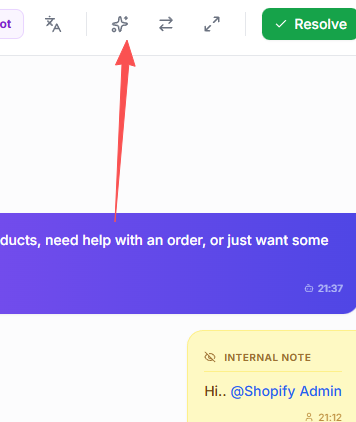
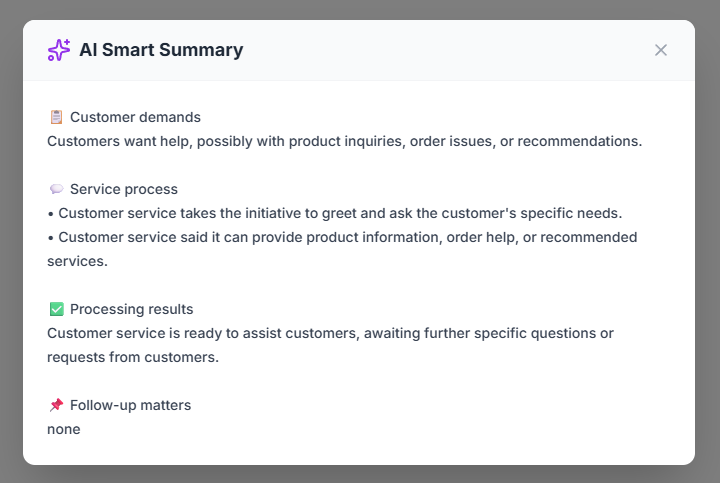
2. Resolve
When a conversation has finished and the customer has no further questions, use Resolve to summarize and close the session.
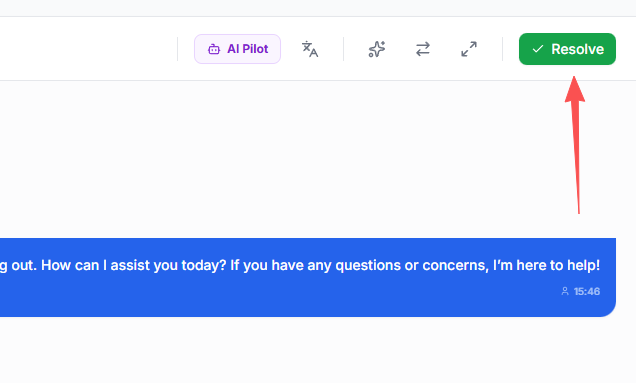
- The session will be moved to the "RESOLVED" group.
- If a session receives no new customer messages for over 60 minutes, the AI will automatically set the session to "RESOLVED".
3. User Information
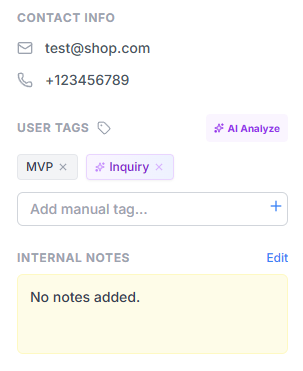
The right-side customer profile panel provides:
- Customer profile details
- Manual tags added by agents
- AI-generated smart tags based on the current conversation
- Session notes at the bottom for internal reference
4. Magic Rewrite
If you are unsure how to reply, use Magic Rewrite to instantly generate a clearer, more professional response.
