Quick start
Soncho App Embed Setup (Shopify)
If AutoReplai is already installed, you can enable it in just a few clicks and start assisting customers instantly.
Quick Setup
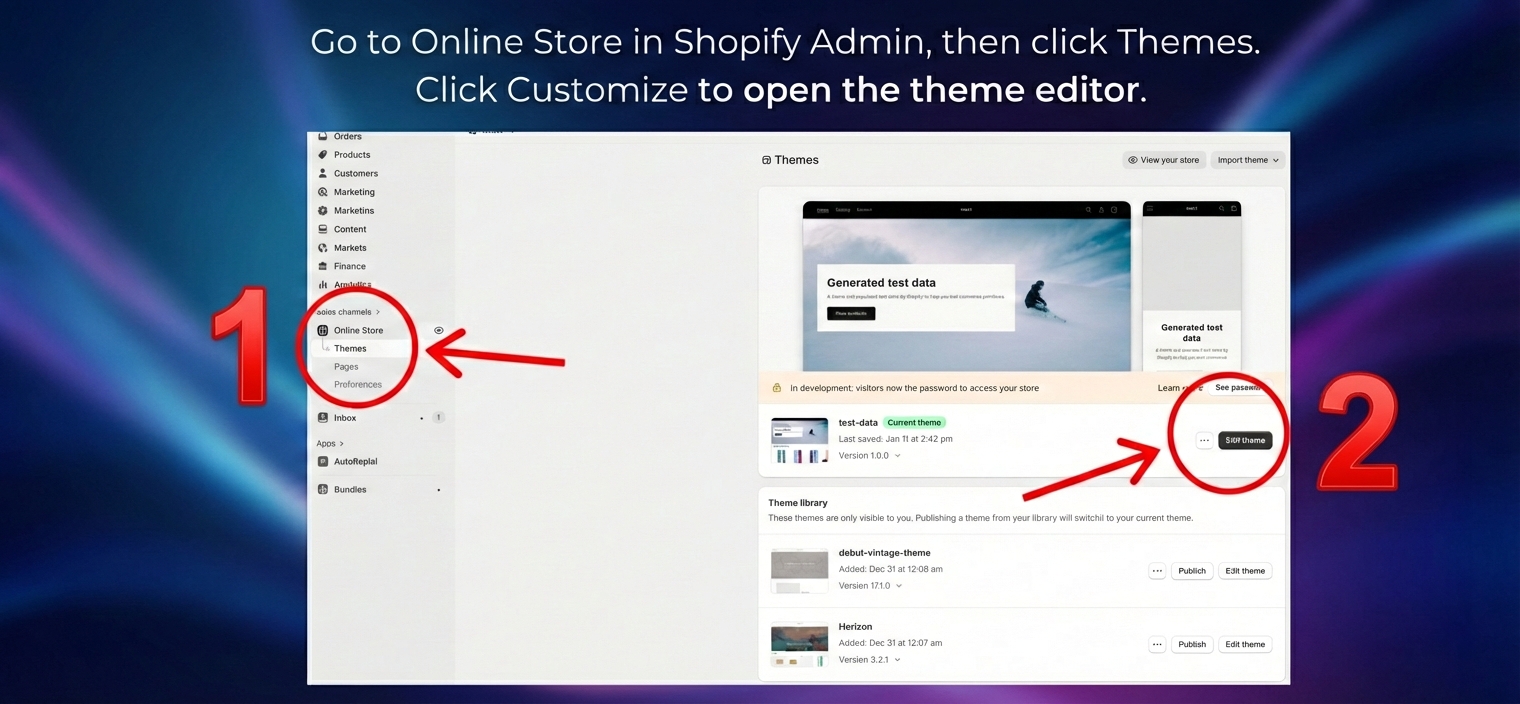
- Go to Online Store in Shopify Admin, then click Themes.
- Click Customize to open the theme editor.
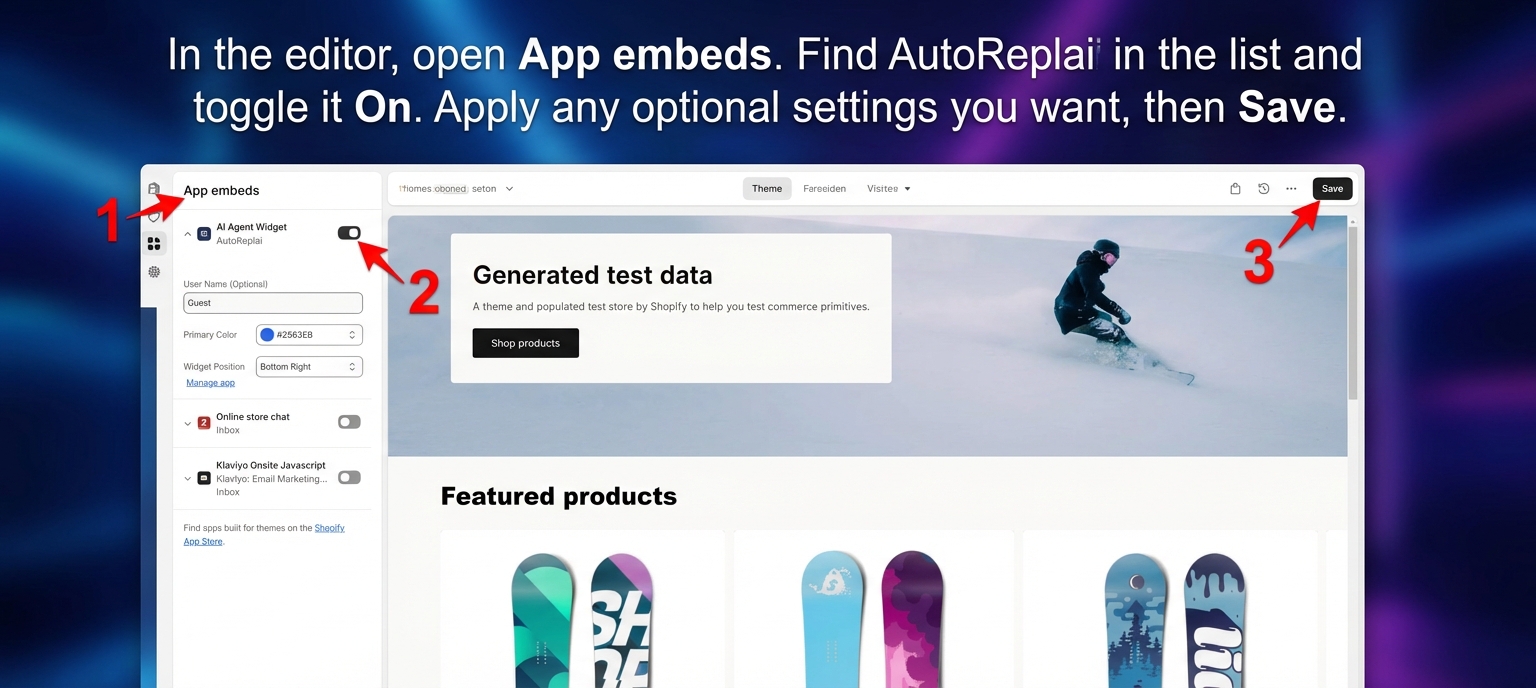
- In the editor, open App embeds.
- Find AutoReplai in the list and toggle it On.
- Apply any optional settings you want, then Save.
Result
Once enabled, a chat bubble will appear in the bottom-right or bottom-left of your storefront. Your AutoReplai assistant is now live.
That’s it — simple and fast. If you need help refining the widget position or branding, let us know.